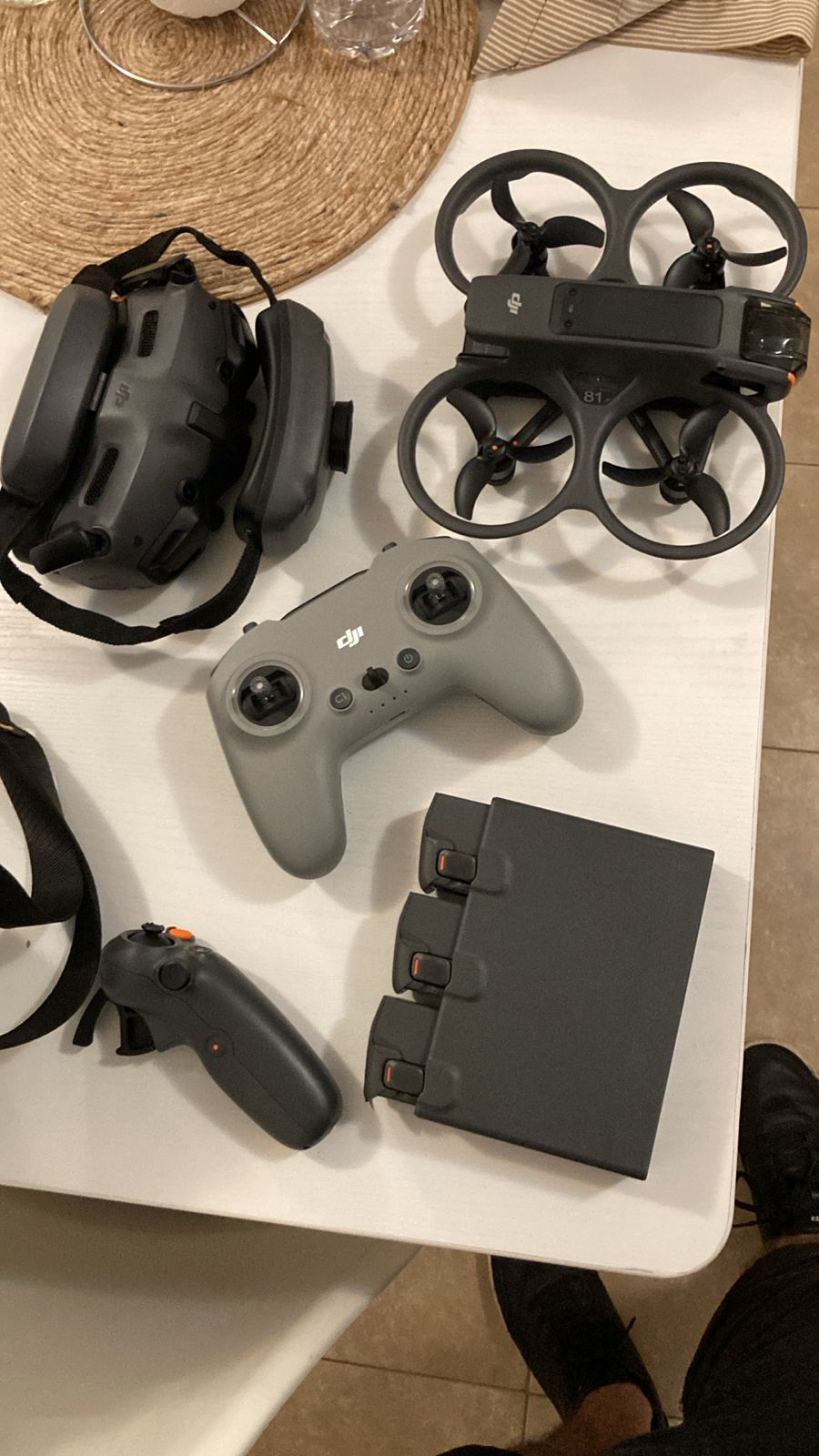
A drone losing signal is one of the most stressful things that happens in this work, and one of the most misunderstood. The drone goes unresponsive, the video feed stutters or freezes, and the instinct is to assume the drone broke. It almost never broke. What broke was the radio link between you and the drone — and that’s a completely separate system from the drone’s ability to fly.
Understanding how that radio link actually works — the frequencies, the transmission systems, what interferes with them — is the difference between a pilot who panics when the signal drops and a pilot who knows exactly why it happened and how to avoid it next time. Let’s go deep.
Two separate radio links, not one
The first thing most pilots don’t realize: a drone has (at least) two independent radio links, and they often run on different frequencies.
The control link (uplink + downlink of commands). This carries your stick inputs to the drone and telemetry back to you — position, battery, GPS status. This is the critical one. If the video drops but control holds, you can still fly the drone home blind. If control drops, the drone is on its own.
The video link (downlink of the camera feed). This carries the live image from the drone’s camera to your screen or goggles. It’s bandwidth-hungry — far more data than the control link — so it behaves differently and fails differently.
On many systems these are integrated (DJI’s OcuSync/O4 handles both over a managed link), but conceptually they’re distinct, and understanding the distinction tells you what to do when one fails. Losing video while keeping control is recoverable. Losing control is the emergency.
The frequency bands: 2.4GHz vs 5.8GHz
Consumer and prosumer drones operate primarily in two unlicensed bands, and each has a fundamentally different physics.
2.4GHz
- Longer range, better penetration. Lower-frequency radio waves travel farther and pass through obstacles (trees, light structures) better than higher frequencies.
- More congested. This is the same band used by WiFi, Bluetooth, microwave ovens, baby monitors, and countless other devices. In urban environments it’s crowded, which means more interference.
- Lower bandwidth. Less data capacity, which is fine for control links but limiting for high-quality video.
5.8GHz
- More bandwidth. Can carry more data, which is why it’s preferred for video transmission.
- Shorter range, line-of-sight dependent. Higher-frequency waves attenuate faster and are blocked more easily by obstacles. A tree between you and the drone hurts 5.8GHz more than 2.4GHz.
- Less congested (historically). Fewer consumer devices use it, though FPV and WiFi 6E are changing that.
The trade-off is fundamental physics: 2.4GHz reaches farther and penetrates better but is crowded; 5.8GHz carries more data but needs cleaner line of sight. No marketing changes this.
Modern systems exploit both. DJI’s OcuSync and the current O4 transmission system are adaptive — they monitor both bands and switch dynamically to whichever is cleaner at any given moment, which is a large part of why DJI’s transmission reliability outperforms older single-band systems.
The transmission systems, compared
This is where the technical landscape splits into camps. Three you should know:
DJI OcuSync / O4 (digital, integrated)
DJI’s proprietary digital transmission. Adaptive across 2.4 and 5.8GHz, long range (advertised up to 10–20km in ideal conditions, far less in practice), low latency, and it carries HD video plus control plus telemetry over one managed link. This is what flies on the Mavic, Air, Mini, and Avata lines.
Strengths: reliability, range, image quality, automatic frequency management. Weaknesses: closed ecosystem, you fly DJI’s way, and when it does fail (metal-heavy environments, severe congestion) you have limited manual control over the recovery.
Analog FPV (5.8GHz video, separate control)
The traditional FPV standard. Video transmits over analog 5.8GHz to goggles; control runs on a separate link (often 2.4GHz or 900MHz). Analog video degrades gracefully — it gets staticky and noisy as signal weakens, rather than freezing or cutting out entirely, which experienced FPV pilots actually prefer because the degradation warns you before total loss.
Strengths: near-zero latency, graceful degradation, cheap, open. Weaknesses: low image quality compared to digital, and the 5.8GHz video band gets congested fast when multiple pilots fly together (each needs a separate channel).
Digital FPV (DJI O3/O4 Air Unit, HDZero, Walksnail)
The middle ground — digital HD video for FPV with lower latency than camera drones. Used in cinematic FPV builds like the kind of work I do on the Pavo 2.
The control link: ELRS and Crossfire
Worth naming separately because it’s the critical link. Serious FPV pilots run dedicated long-range control systems:
- ExpressLRS (ELRS): open-source, extremely long range, runs on 2.4GHz or 900MHz. The current standard for FPV control links. 900MHz penetrates and reaches farther; 2.4GHz has more bandwidth for faster packet rates.
- TBS Crossfire: the older long-range standard, 900MHz, legendary reliability, still widely used.
The principle: separating the control link onto a robust dedicated frequency (especially 900MHz) means that even when the 5.8GHz video gets noisy, you still have rock-solid control to fly home. This is the architecture serious pilots trust for exactly the failure mode that scares everyone.
What actually causes signal loss
Now the practical part. In my experience flying across government infrastructure, urban real estate, and FPV work, signal loss comes from a predictable set of causes:
1. Physical obstruction
The most common. Radio needs line of sight, especially at 5.8GHz. Fly behind a building, below a bridge deck, behind a hill, behind dense trees — the signal degrades or drops. The drone going behind a large structure relative to your position is the textbook signal-loss scenario.
Fix: maintain line of sight. Reposition yourself so the drone is never fully obstructed. When flying around a structure, plan the arc so the drone doesn’t pass behind something solid relative to you.
2. Metal and reinforced concrete (multipath + shielding)
This one bit me repeatedly on government work. Flying near large metal structures — under bridges, near steel-framed buildings, around shipyards — causes two problems. First, the metal physically shields the signal. Second, it creates multipath: the radio signal bounces off surfaces and arrives at the receiver as multiple delayed copies that interfere with each other. This also wrecks GPS, which is why position hold gets unreliable in these environments (I cover the GPS side in the inspection guide).
Fix: expect degraded signal and GPS near large metal/concrete structures. Fly slower, stay closer, keep tighter line of sight, and don’t rely on position hold.
3. RF congestion (interference)
In dense urban areas, the 2.4GHz band is saturated with WiFi and other devices. Other drones flying nearby on the same channels compete directly. Event venues with hundreds of phones and WiFi access points are surprisingly hostile RF environments.
Fix: adaptive systems (DJI O4) handle this better than fixed-channel systems. For analog FPV, choose a clean channel and coordinate with other pilots. Avoid flying near large WiFi installations when you can.
4. Antenna orientation (polarization)
Radio antennas are directional. The signal is strongest perpendicular to the antenna and weakest off the tip. If your controller’s antennas are pointed at the drone (tip-on), you’re using the weakest part of the radiation pattern. Pilots do this instinctively — they point the antennas at the drone like they’re aiming — and it’s exactly wrong.
Fix: orient the flat side of your antennas toward the drone, not the tips. Keep antennas vertical or angled, not pointed directly at the aircraft. This single habit meaningfully extends usable range.
5. Distance + power limits
Eventually you simply fly far enough that the signal can’t make the round trip at the transmitter’s legal power. Range figures on spec sheets are measured in ideal open conditions; real-world range is a fraction of that.
Fix: know your realistic range in your conditions, not the spec sheet’s. Build in margin. The cruise ship story in the inspection guide is what happens when you misjudge effective range with a moving home point.
What to do when signal drops mid-flight
The recovery procedure, in order:
-
Don’t panic-input. Frantic stick movements when control is intermittent make things worse. If control is dropping in and out, hold steady inputs.
-
Stop and let RTH engage. Modern drones trigger Return-to-Home on signal loss. RTH climbs to a set altitude and flies back to the home point on GPS. This is why setting a correct home point in your pre-flight matters. Let the system do its job rather than fighting it.
-
Reposition yourself for line of sight. If the drone went behind an obstruction, physically move so you have a clear line to it. Signal often returns the moment line of sight is restored.
-
Raise altitude if you have partial control. Higher usually means clearer line of sight. Climbing out of an obstructed position frequently restores the link.
-
Know your failsafe behavior cold. Every drone has a configured failsafe — RTH, hover, or land. Know which yours does and at what signal threshold. The time to learn it is not mid-emergency.
The bigger picture
Signal loss feels like the drone betraying you. It isn’t. It’s radio physics doing exactly what radio physics does — and once you understand the two links, the two bands, the transmission systems, and the five real causes of interference, you can predict and prevent the vast majority of signal-loss events before they happen.
The pilots who never seem to lose signal aren’t lucky. They maintain line of sight, they respect metal-heavy environments, they orient their antennas correctly, they know their real range, and they’ve configured and memorized their failsafe. None of that requires an RF engineering degree. It requires understanding the system you’re operating instead of treating it as a black box.
The drone flies on physics. The link runs on physics too. Learn both, and the sky gets a lot less surprising.